Blog

  • Best Power Stations for Powering a Modem and Router During an Outage

    Best Power Stations for Powering a Modem and Router During an Outage


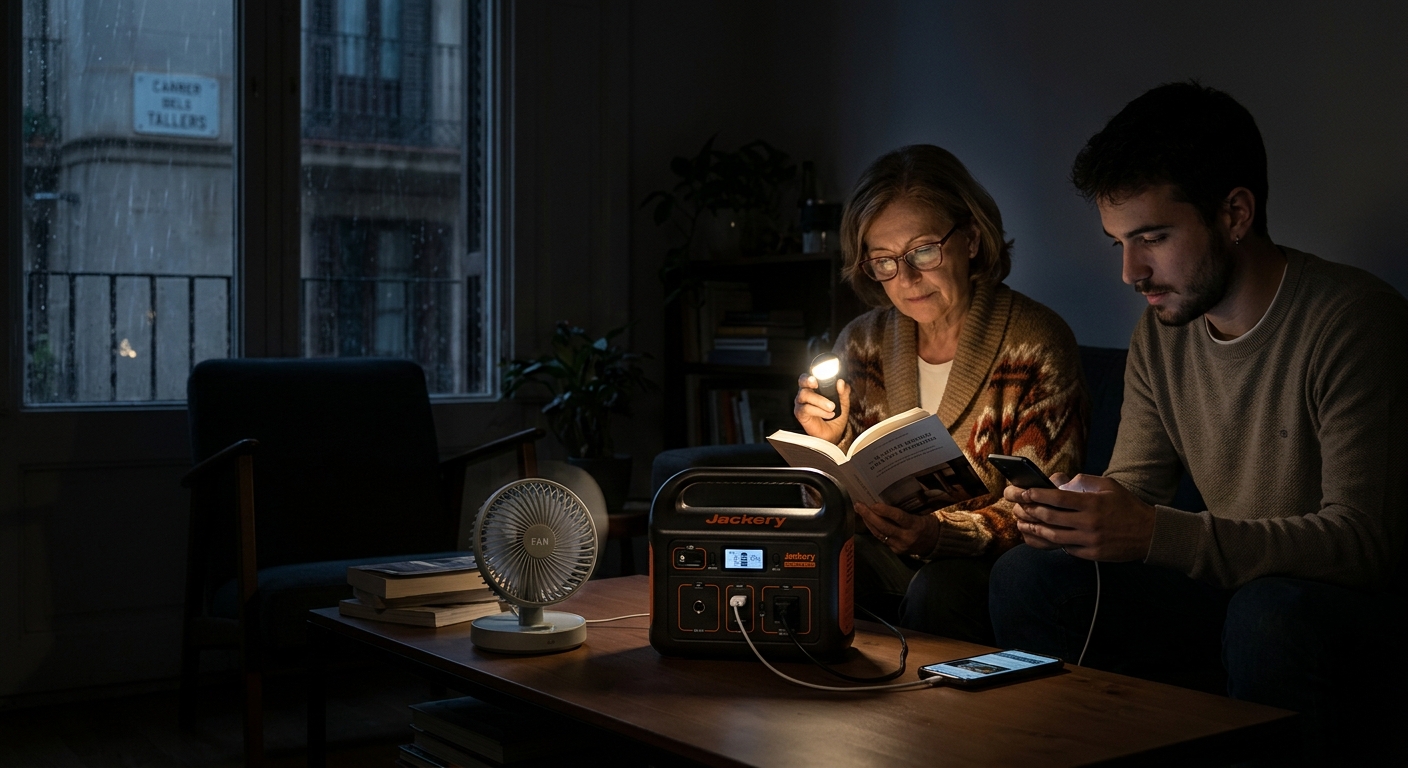
    When the power goes out, most people worry about the fridge first. But if you work from home, run a home security system over Wi-Fi, or just don’t want to lose contact with the outside world during a storm, keeping your modem and router alive can matter just as much — and it turns out to be one of the easiest, cheapest backup jobs a power station can handle.

    Networking equipment draws a tiny fraction of the power a fridge or space heater needs, which means you don’t need a massive, expensive unit just to stay connected. Here’s how to size it correctly, plus our picks depending on how much else you want to power alongside your network gear.

    Important Caveat First: A Power Station Can’t Fix an ISP Outage

    Before buying anything, it’s worth being clear about what this actually solves. A power station keeps your modem and router running. It has no effect on your internet service provider’s equipment — the street cabinet, the local node, the fiber hub — which needs its own power to keep your connection alive. During a widespread grid outage, many ISPs’ local infrastructure runs on its own battery or generator backup for a while, but not indefinitely, and not everywhere.

    In practice, this means a power station is most useful for:

    • Short-to-medium outages where the ISP’s own backup is still holding.
    • Localized outages (a tripped breaker, a downed line on your street) where your neighborhood’s broader infrastructure is unaffected.
    • Keeping a mobile hotspot or cellular router running, which depends on the cell network rather than a wired ISP connection and is often more resilient during a local power cut.

    If your goal is guaranteed internet through a multi-day, area-wide blackout, pairing your power station with a cellular backup option is a more realistic plan than counting on your home internet connection alone.

    How Much Power Does a Modem and Router Actually Use?

    This is the good news: networking equipment is a remarkably light load compared to almost anything else in your house.

    DeviceTypical Power Draw
    Cable or fiber modem/ONT5–20W
    Wi-Fi router8–25W
    Mesh Wi-Fi node (each)5–15W
    Small network switch5–30W (depends on connected devices)

    A typical modem-plus-router setup draws somewhere around 15–40 watts total — for context, that’s less than a single incandescent light bulb. Even a larger setup with a mesh system, a couple of extra nodes, and a switch rarely crosses 80–100W combined.

    The exact number varies by hardware, so the most reliable way to know is to check the wattage printed on each device’s power adapter, or measure your actual setup with an inexpensive plug-in watt meter — adapter labels show maximum draw, not typical real-world consumption, so a meter reading is usually a more accurate (and often lower) number to plan around.

    How to Calculate Your Runtime

    Once you know your setup’s wattage, the math is simple:

    Battery capacity (Wh) × 0.85 (accounting for inverter and conversion losses) ÷ your device wattage = estimated hours of runtime

    A few worked examples:

    SetupCombined WattagePower Station CapacityEstimated Runtime
    Modem + router only~20W300Wh~12.5 hours
    Modem + router only~20W1,000Wh~42 hours
    Modem + router + one mesh node~35W300Wh~7 hours
    Modem + router + laptop charging~70W1,000Wh~12 hours

    Because the load is so small, even a compact, budget-friendly power station can keep your network running for a full day or more — the real question is usually whether you want the unit to only cover networking gear, or also carry your laptop, phone chargers, and a lamp through the same outage.

    Our Picks

    Best for Networking Only (Budget Pick)

    For a setup that’s purely modem and router, you genuinely don’t need a large unit. A compact power station in the 250–500Wh range with at least one AC outlet and a couple of USB ports will comfortably run your network gear for well over a day, cycle in some phone charging, and still leave you plenty of headroom. Look for a unit with a fast AC switchover time if uninterrupted connectivity through the exact moment of a power blip matters to you (for video calls or a home security system, for instance) — some models can switch to battery power in as little as 10 milliseconds, fast enough that connected equipment doesn’t even reboot.

    Best for Remote Workers (Network + Laptop + Monitor)

    If losing power means losing your workday, size up. A power station in the 1,000–2,000Wh range with 1,000–1,500W of continuous AC output gives you enough headroom to run your modem, router, laptop, an external monitor, and phone chargers simultaneously — enough to get through a full remote workday on battery, not just keep the Wi-Fi light on. This is also the range where a fast UPS-style switchover feature becomes genuinely valuable: it protects against dropped video calls or corrupted files during the split second the grid actually cuts out, not just during the hours after.

    Best for Whole Small-Office Setups (Network + Multiple Devices)

    If you’re backing up a home office with a router, modem, several mesh nodes, a switch, a desktop computer, and monitors, look toward the 2,000Wh+ tier with 1,500–2,400W of continuous output. This size also gives you room to add a lamp or small fan without worrying about running short mid-outage, and most units in this class recharge fast enough via AC or solar to be topped back up during longer, multi-day outages.

    What to Look For Beyond Capacity

    • Pure sine wave output. Networking equipment and computers are sensitive electronics; a pure sine wave inverter (standard on essentially all reputable power stations now) protects them the way a modified sine wave unit can’t guarantee.
    • Fast UPS/switchover mode. If your priority is uninterrupted connectivity (not just «back online within a minute»), check the unit’s switchover time. Some models offer near-instant switching that keeps sensitive equipment like routers and NAS devices from rebooting when the grid drops.
    • Enough AC outlets, not just USB. Most modems and routers use a standard wall-plug power brick, so make sure the unit has enough AC outlets for your full networking stack, not just USB-A/USB-C ports.
    • Passive or quiet cooling. If the unit is going to sit next to your router in a living space for hours or days, a model with quiet or fan-less operation under light loads is worth prioritizing — networking gear is a light enough load that many units won’t need active cooling at all at this wattage.

    Frequently Asked Questions

    Will my internet keep working if the power goes out? Only if your ISP’s local infrastructure also stays powered. Your power station keeps your own modem and router running; it has no effect on the equipment upstream that actually delivers the connection.

    Do I need a big power station just for a router and modem? No. Networking equipment is one of the lightest loads you can put on a power station — a compact, inexpensive unit will comfortably run a modem and router for well over a day.

    What’s the difference between a UPS and a portable power station for this? A traditional UPS is typically cheaper and sized specifically for short bridging power (getting you through brief blips or long enough to shut down safely), while a portable power station offers far more capacity and can run your network gear for many hours to days, plus double as backup for other devices. For outages longer than a few minutes, a power station is the more practical choice.

    Can I run my router off a power bank instead? Only if your router accepts DC input compatible with a USB power bank’s output, which isn’t the case for most standard routers that use AC wall adapters. A power station with an AC outlet is the more universal solution.

    The Bottom Line

    Keeping a modem and router online during an outage is one of the lightest, cheapest jobs you can ask of a portable power station — a compact, affordable unit will handle it for a full day or more. The real decision point isn’t whether a power station can do the job (almost any of them can), but how much else you want it to carry alongside your network gear: a laptop and phone chargers call for a mid-size unit, while a full home office points you toward something larger with more continuous output and faster recharge options.

    Always check the actual wattage of your specific modem, router, and any additional networking hardware — printed on the power adapter or measured with a watt meter — before choosing a power station size.
  • Portable Power Station vs Battery Backup for Sump Pumps: What Works Best

    Portable Power Station vs Battery Backup for Sump Pumps: What Works Best

    Nothing ruins an outage faster than a flooded basement. Sump pumps are one of the few appliances where losing power for even a few hours can turn into thousands of dollars in water damage — which is exactly why «will my backup power option actually run my sump pump?» is one of the most important questions a homeowner can ask before a storm, not during one.

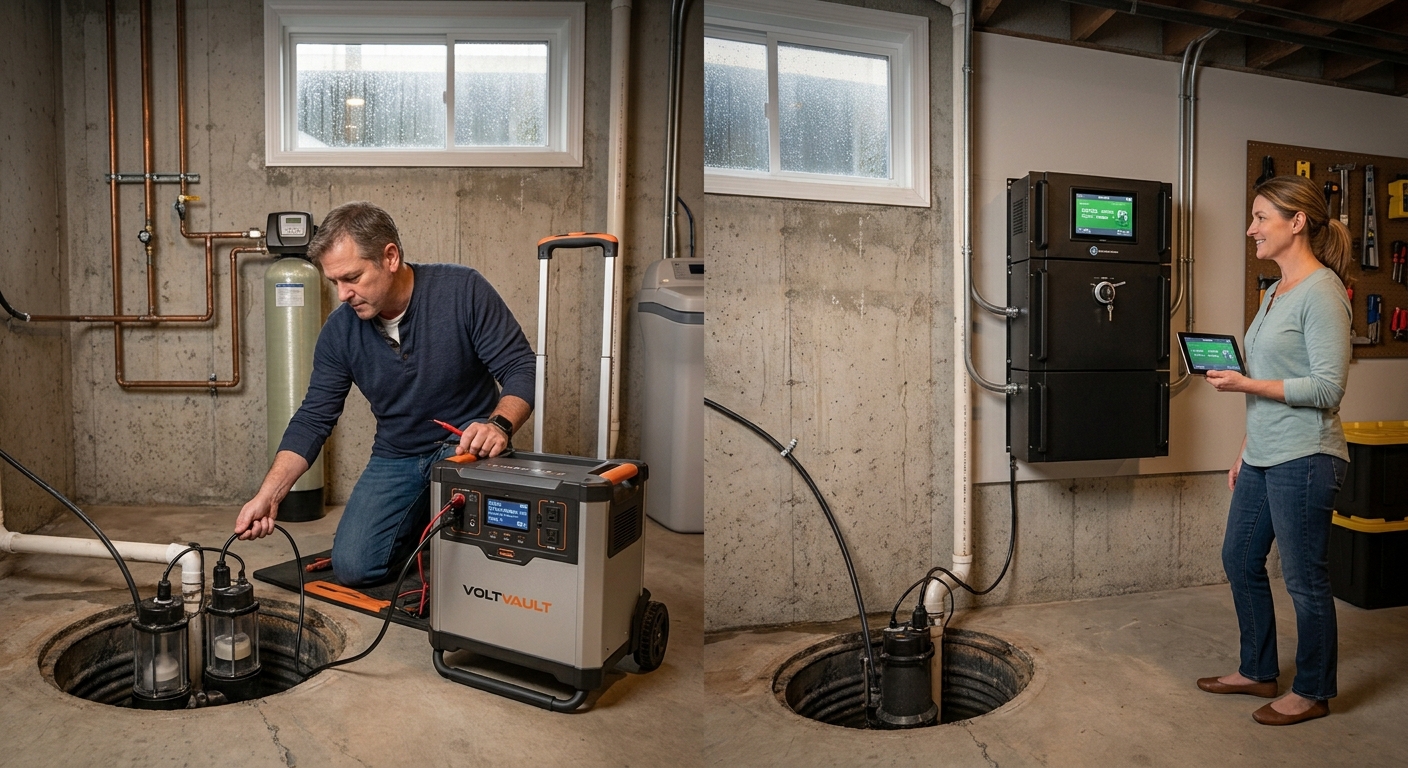
    There are two fundamentally different ways to keep a sump pump running when the grid goes down: a dedicated sump pump battery backup system (a purpose-built unit like a Basement Watchdog, wired permanently into your sump pit) or a general-purpose portable power station (a Jackery, EcoFlow, Bluetti, or similar unit you plug the pump into during an outage). Below, we break down how each one actually works, what the wattage math looks like, and which setup makes sense for your situation.

    This article contains affiliate links. If you buy through one of them, we may earn a small commission at no extra cost to you — see our affiliate disclosure for details.

    How Dedicated Sump Pump Battery Backups Work

    A dedicated system, like the Basement Watchdog Special or similar products from other brands, is installed directly in your sump pit alongside (or as an upgrade to) your existing AC-powered pump. It runs on its own deep-cycle battery, sits there fully charged at all times, and switches on automatically the moment it detects a power outage, a primary pump failure, or water rising faster than the main pump can handle. Most models include 24/7 monitoring, an audible alarm for battery or pump problems, and in some cases WiFi alerts to your phone.

    The key advantage is that it’s a single-purpose appliance: it doesn’t need to be found, carried, or plugged in during an emergency. It’s already there, already wired, and already tested for exactly this job.

    How a Portable Power Station Handles a Sump Pump

    A portable power station takes a different approach. Instead of being purpose-built for the pump, it’s a general battery-and-inverter unit that you connect to the pump’s existing power cord (via an extension cord or, in some setups, by wiring it into a transfer switch) when the power goes out. The same unit can also run your fridge, lights, and phone chargers — which is the main appeal.

    The catch is that sump pumps are a genuinely demanding load for a general-purpose power station, for one specific reason: startup surge.

    Why Startup Surge Is the Whole Ballgame

    Sump pump motors are induction motors, and induction motors draw a short spike of power — often two to three times their steady running wattage — the instant they switch on. A pump that only draws 750W while actively pumping water can demand a startup surge of 1,800W or more for a fraction of a second. If your power station’s surge rating doesn’t clear that spike, the unit will trip its internal protection and shut off — and your pump simply won’t start, even though the power station looked «big enough» on paper.

    Rough figures by pump size (these vary by brand and model, so check your pump’s nameplate or manual for exact numbers):

    Pump SizeTypical Running WattsTypical Starting (Surge) Watts
    1/3 HP200–400W800–1,500W
    1/2 HP300–500W1,300–2,200W
    3/4 HP400–600W1,800–2,500W
    1 HP800–1,800WUp to 5,400W

    The rule of thumb: check the pump’s surge rating, not just its running wattage, and make sure your power station’s surge capacity clears it with room to spare. A power station rated for 2,000W continuous output but only 3,000W surge may still be underpowered for a 1 HP pump.

    Runtime: The Second Half of the Equation

    Once the pump has started, the second question is how long your power station can keep feeding it. Sump pumps don’t run continuously — they cycle on and off as water enters the pit — so runtime depends heavily on how much rain is falling, not just the pump’s wattage.

    A simple way to estimate it: battery Wh × 0.85 (real-world efficiency) ÷ pump running watts = hours of active pumping time. But because pumps cycle rather than run continuously, the number that actually matters is how many minutes per hour the pump is active, which can range from a couple of minutes during light rain to running almost continuously during a major storm. A power station that comfortably lasts a full day of light, intermittent cycling might only last a few hours if the pump is running nearly nonstop during a heavy downpour.

    Side-by-Side Comparison

    Dedicated Battery Backup SystemPortable Power Station
    Activates automaticallyYes, built-in float switch and controllerOnly if wired through a transfer switch or UPS-style auto-switchover; otherwise manual
    Purpose-built for pump surgeYesDepends on model — must be checked against pump specs
    Also powers other appliancesNo, single-purposeYes — fridge, lights, devices, medical equipment
    Monitoring / alertsOften includes battery and pump health alarms, some with WiFi notificationsUsually app-based battery monitoring only, not pump-specific
    InstallationPermanent, wired into the pit and plumbingPortable, no permanent installation required
    Typical cost$150–$400 for the unit, plus a separate deep-cycle battery$500–$2,000+, but reusable for whole-home backup, camping, etc.
    Best forHomes where basement flooding is the single biggest riskHomes that want one flexible unit covering the pump and everything else

    Which One Should You Actually Get?

    Choose a dedicated battery backup system if: basement flooding is your primary, specific risk (you live somewhere prone to heavy rain, have a finished basement, or have had water damage before), and you want something that works automatically without you needing to be home, awake, or thinking about it when the power drops at 3 a.m.

    Choose a portable power station if: you want a single, flexible backup solution that covers the sump pump and your fridge, WiFi, medical devices, and lighting during a broader outage — and you’re willing to do the wattage homework up front (and ideally test it on your actual pump before storm season) to confirm your unit can handle the startup surge.

    Consider both if: flooding risk and budget allow it. Many homeowners run a dedicated battery backup as the automatic first line of defense for the pump specifically, with a portable power station as the broader whole-home backup for everything else. That combination avoids putting all your eggs in one basket — if the dedicated backup’s battery is old or undercharged, you still have a second option.

    Safety Notes Before You Rely on Either System

    • Test before the storm, not during it. Run your pump on battery power (dedicated system or power station) as a dry run before hurricane or storm season, not for the first time during an actual flood risk.
    • Verify surge rating against your specific pump, not a generic average — check the nameplate on your pump or its manual for exact running and starting watts.
    • Keep any power station in a dry, elevated location, away from the sump pit itself, and use a properly rated, undamaged extension cord if it isn’t hardwired in.
    • A backup battery degrades over time. Whether it’s a dedicated system’s deep-cycle battery or a power station’s internal battery, check charge level and battery health periodically — a backup that hasn’t been tested in two years is a gamble, not a plan.
    • If you’re unsure about wiring a power station into a transfer switch or your sump pump’s circuit, have a licensed electrician confirm the setup rather than improvising during a storm.

    Frequently Asked Questions

    Can any portable power station run a sump pump? Not automatically — it depends entirely on whether the unit’s surge output rating exceeds your specific pump’s starting wattage. A pump that seems modest on running watts alone can still trip an underpowered inverter at startup.

    Do I need a transfer switch for a sump pump and power station? Not necessarily. Many homeowners simply plug the pump’s cord into the power station during an outage. A transfer switch is more relevant if you want the power station wired into your panel for automatic switchover across several circuits, not just the pump.

    Is a dedicated sump pump battery backup enough on its own? It protects against basement flooding specifically, but it won’t power your fridge, lights, or anything else in the house. If the outage stretches beyond a few hours, most homeowners want broader backup too.

    How often should I replace the battery in either system? Dedicated systems typically use lead-acid or AGM batteries that are commonly rated for a few years of standby use and should be tested regularly; check your specific model’s manual. Power stations using LiFePO4 batteries generally hold up for several thousand charge cycles, but battery health is still worth checking each storm season.

    The Bottom Line

    A dedicated sump pump battery backup is the more «set it and forget it» option for the single risk that matters most — a flooded basement — because it activates automatically and doesn’t require you to do anything at the moment it counts. A portable power station is the more flexible option, doing double duty for your whole household’s backup needs, but only if you’ve confirmed in advance that it can actually clear your pump’s startup surge. For homes where flooding is a serious risk, running both isn’t overkill — it’s redundancy where redundancy actually matters.

    Always check your specific sump pump’s running and starting wattage — printed on the pump’s nameplate or listed in its manual — before choosing a backup power source, and test the full setup before you need it.

  • Hello world!

    Welcome to WordPress. This is your first post. Edit or delete it, then start writing!